TL;DR
- Three new NSF templates – one for SBE Directorate, one for EDU, and a Generic for all other Directorates – are now published in the DMP Tool, along with selected guidance from NSF on how to complete them
- The content, questions, and options are matched from the Research.gov webtool so people can plan their DMP in advance and get collaboration and feedback
- Researchers will need to transfer the responses at the end into the webform instead of uploading a PDF
- We will continue to monitor and update as directorates add more response options to the form
Introduction
Like many in the data management community, we’ve been following changes to data management plans (DMPs) at the National Science Foundation. Instead of submitting the DMP as a PDF, the DMP is now filled out as a form on Research.gov. This has both positive and negative implications for proper planning, collaboration, and interoperability, which we talk in more detail about on Upstream. In this post, we will walk through how we replicated the form into the DMP Tool so people can use it to prepare their DMP in advance of completing the final version on Research.gov. This way, people can still get personalized guidance and feedback from their organization, and collaborate with other users, before taking the final output to copy over to NSF’s webform.
NSF’s New DMSP Webform
The way the Research.gov form works is that you add specific Data and Research Product Categories, one category at a time (up to 4 total). Each category accounts for all data of that type collected for a research project. For example, if a project collects two distinct sets of human MRI data that will be published as separate datasets, that would still go in as one category of “human MRI data.” For each broad data category, the researcher will report on:
- Which, if any, access policies or limitations that apply (i.e., reasons to not fully share data publicly, such as legal considerations)
- What data standards and metadata will be used (i.e., the format and standard of the data, such as BIDS)
- The provenance of the data (i.e., if its an existing resource or new collection)
- The public archiving location (i.e., the repository it will be stored at, such as OSF)
- The timeline for public accessibility (which is expected to be time of publication unless there is a justified reason for extending)
- The duration of data availability (which is expected to be at least 2 years unless there is a justified reason for less), including a confirmation that the retention policy of repository will be adhered to
- Accountability for data management (i.e., which PI or co-PI is responsible)
Some of these questions always provide a list of standard options to select from, such as the timeline and duration of data availability, while others depend on whether the Directorate has entered options, which such as Data and Research Product Category, Data Standards, and Public Archiving. At the time of this post, most Directorates have not entered options for those, so they just offer an “Add New” option to write in their own.
How it Works on the DMP Tool
In the DMP Tool, we don’t have the exact capabilities to perfectly replicate the form, but we have published templates that capture all the information and options in them, with additional guidance pulled from various NSF websites. You can download copies of the templates or start a plan at our Funder Requirements page. All older versions are now unpublished or marked obsolete and will be unpublished soon.
Most applicants will use the “Generic” template that doesn’t provide extra options for data type, standards, and repositories, while those applying to the Directorate for Social, Behavioral and Economic Sciences (SBE) or Directorate for STEM Education (EDU) can use those templates in the tool to see what options those directorates provide.
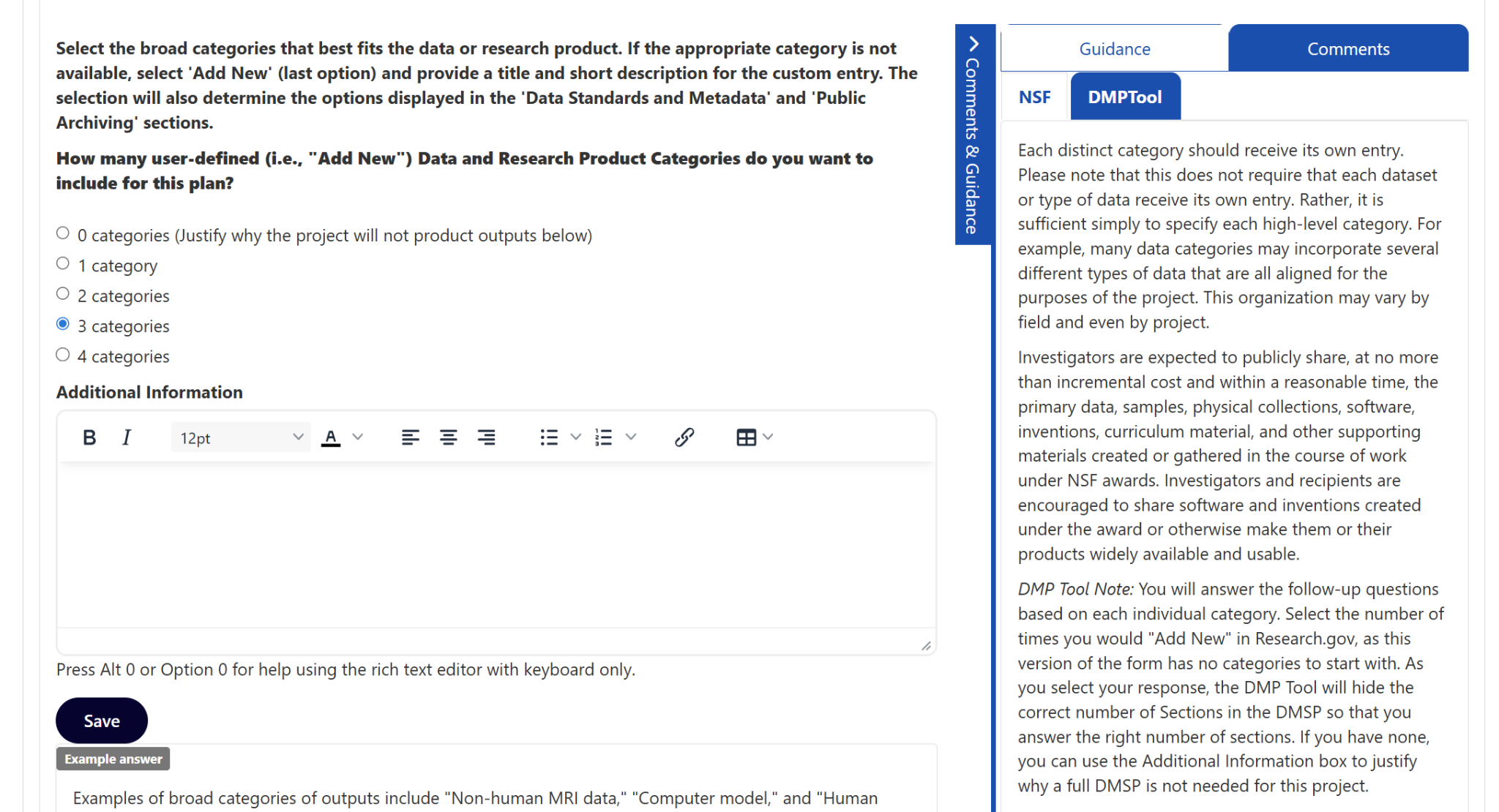
First, the researcher needs to select how many Data or Research Product Categories they will add. This allows us to hide the appropriate number of later sections, so they only see questions in the right number of sections for the data categories they would add. If they select 0, that is similar to checking the box on NSF’s webform that a detailed DMSP is not needed, and they can use the Additional Information box to justify why they don’t need one, in case they want feedback from their organization on that.
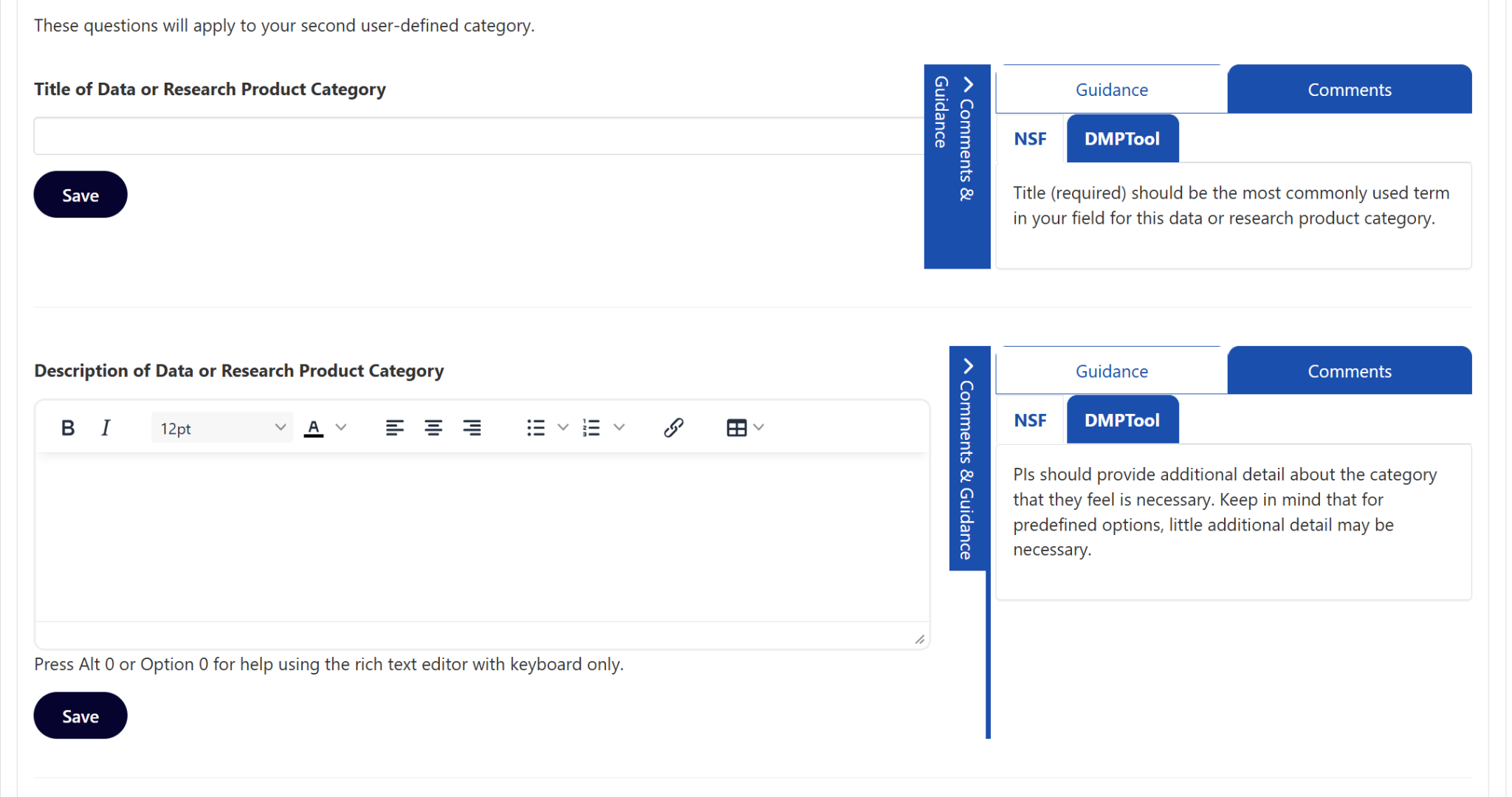
For each section, they will first enter the Title and Description of that Data category.
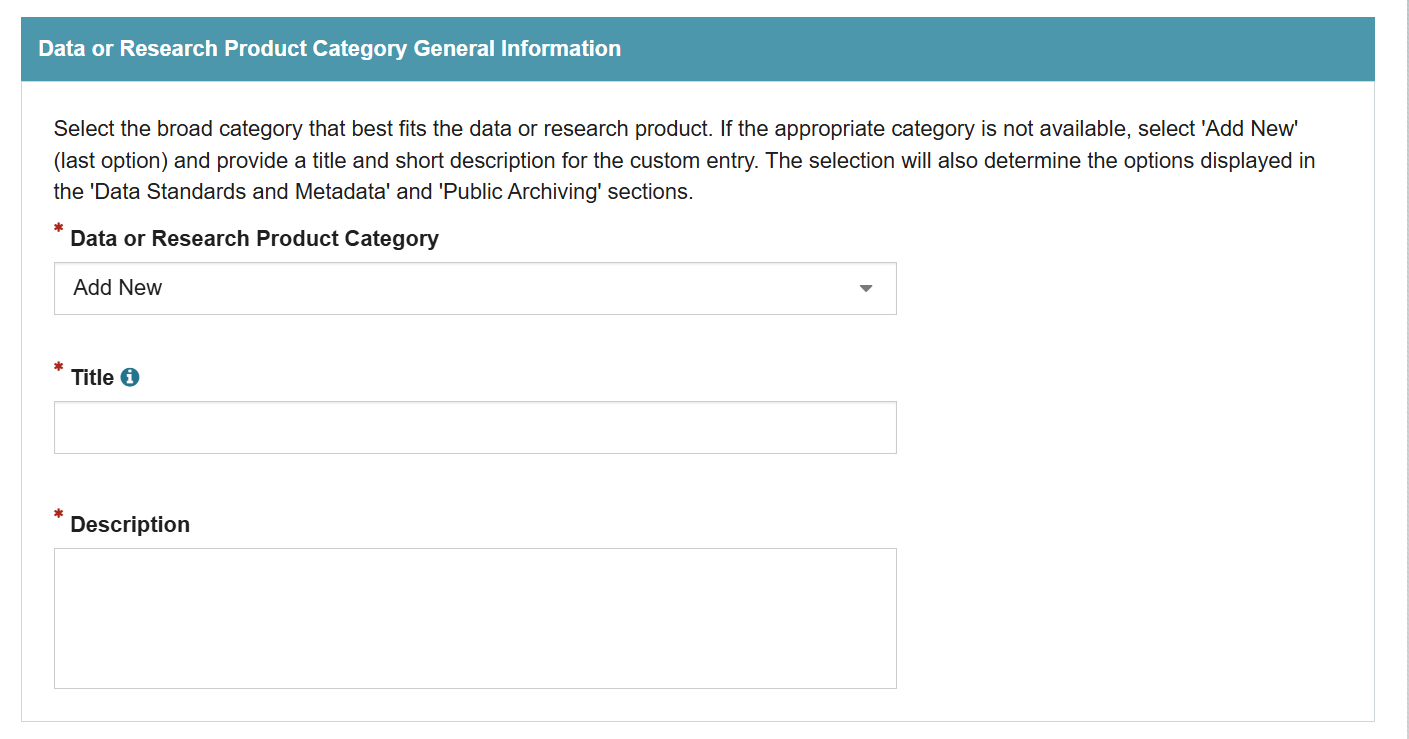
Or, for SBE and EDU, they can select from the options for the Title that matches what they’d be shown in the NSF webform, or add their own using the Additional Information box. Note that the Additional Information box does not need to be filled out if a standard option is selected.
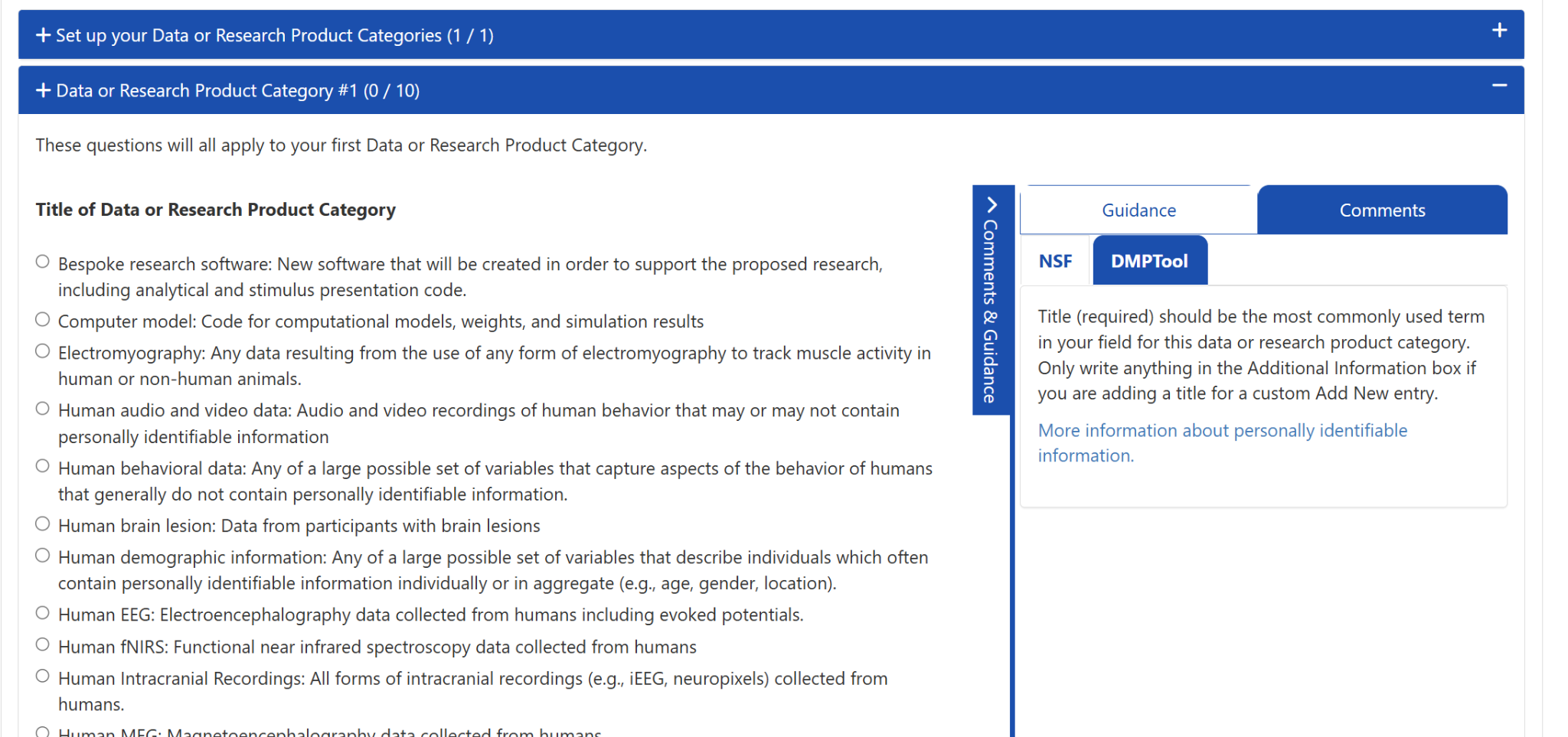
Next, they will answer all the follow-up questions for each category. While we don’t have the ability to add formatting to response options or validate how many are selected (e.g., to make sure people don’t select more than 6 access limitations), we provide all the same options as the tool for people to build their DMP the same way they would in the form.
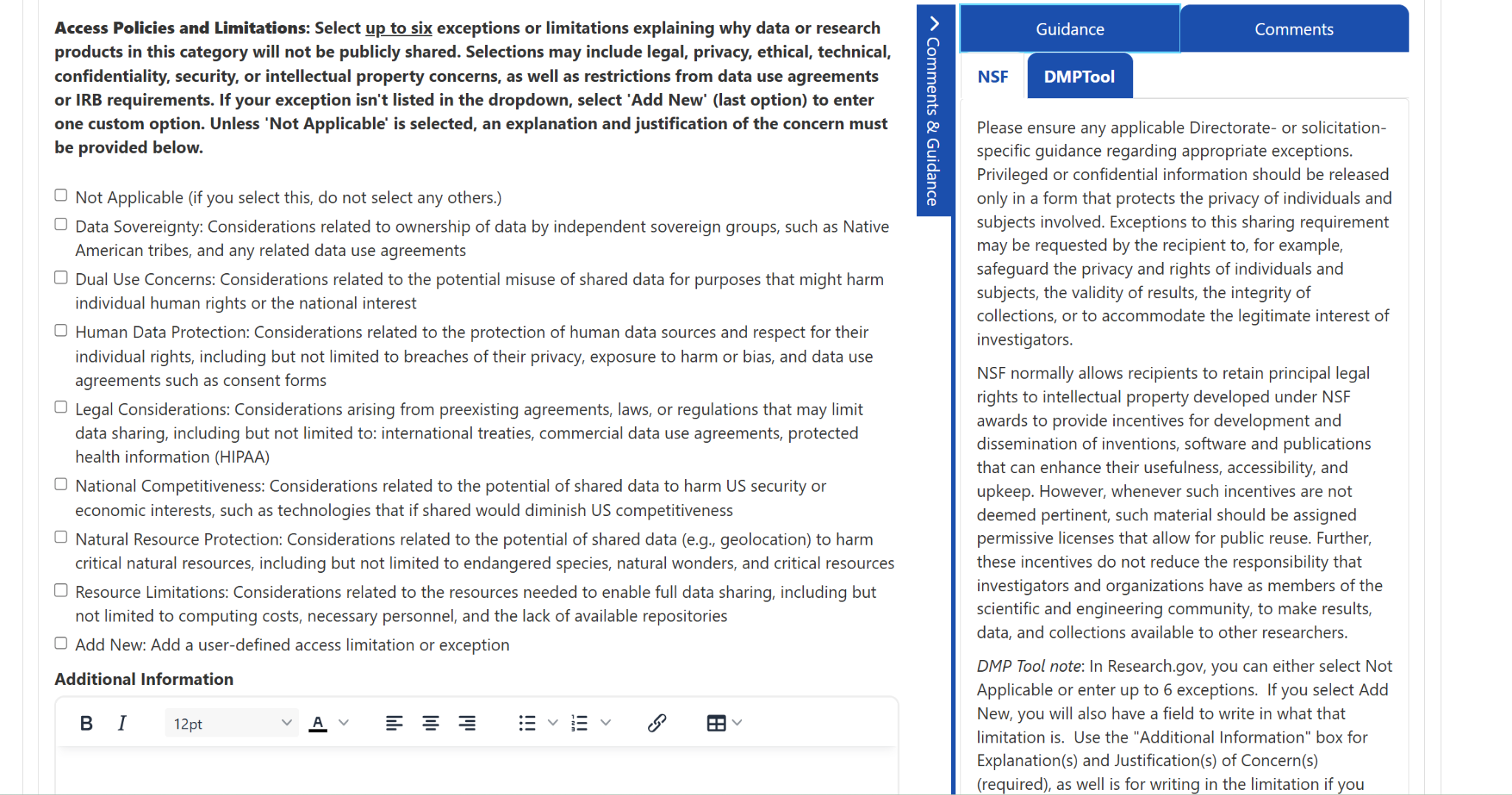
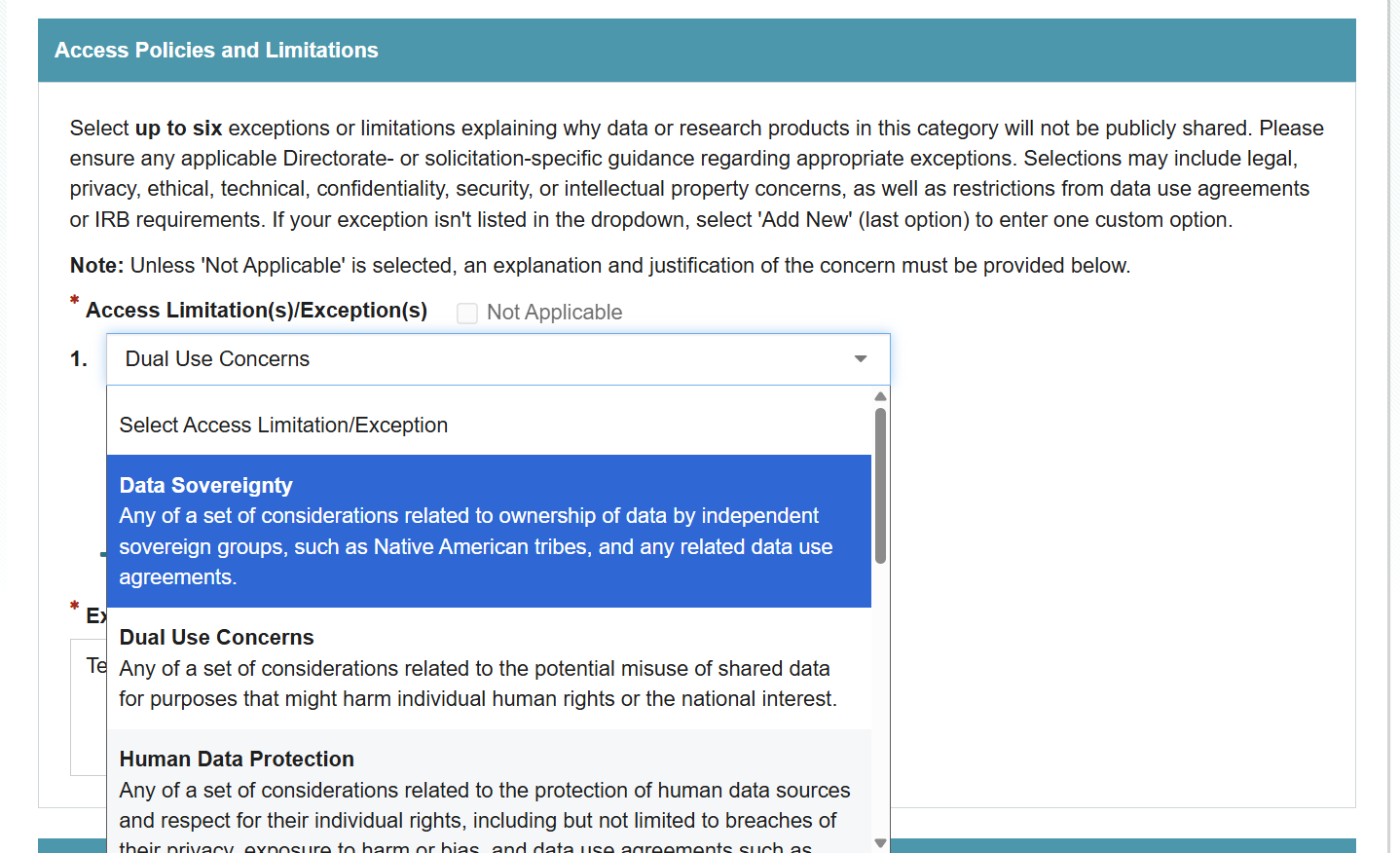
For SBE specifically, there are some repositories that are only shown if certain Data types are selected earlier. For example, GitHub is only offered as an option if Bespoke Research Software or Computer Model is the Data or Research Product category. Since we don’t have the functionality to customize options based on a prior questions, we instead list in the response which it applies to so people can select appropriately.
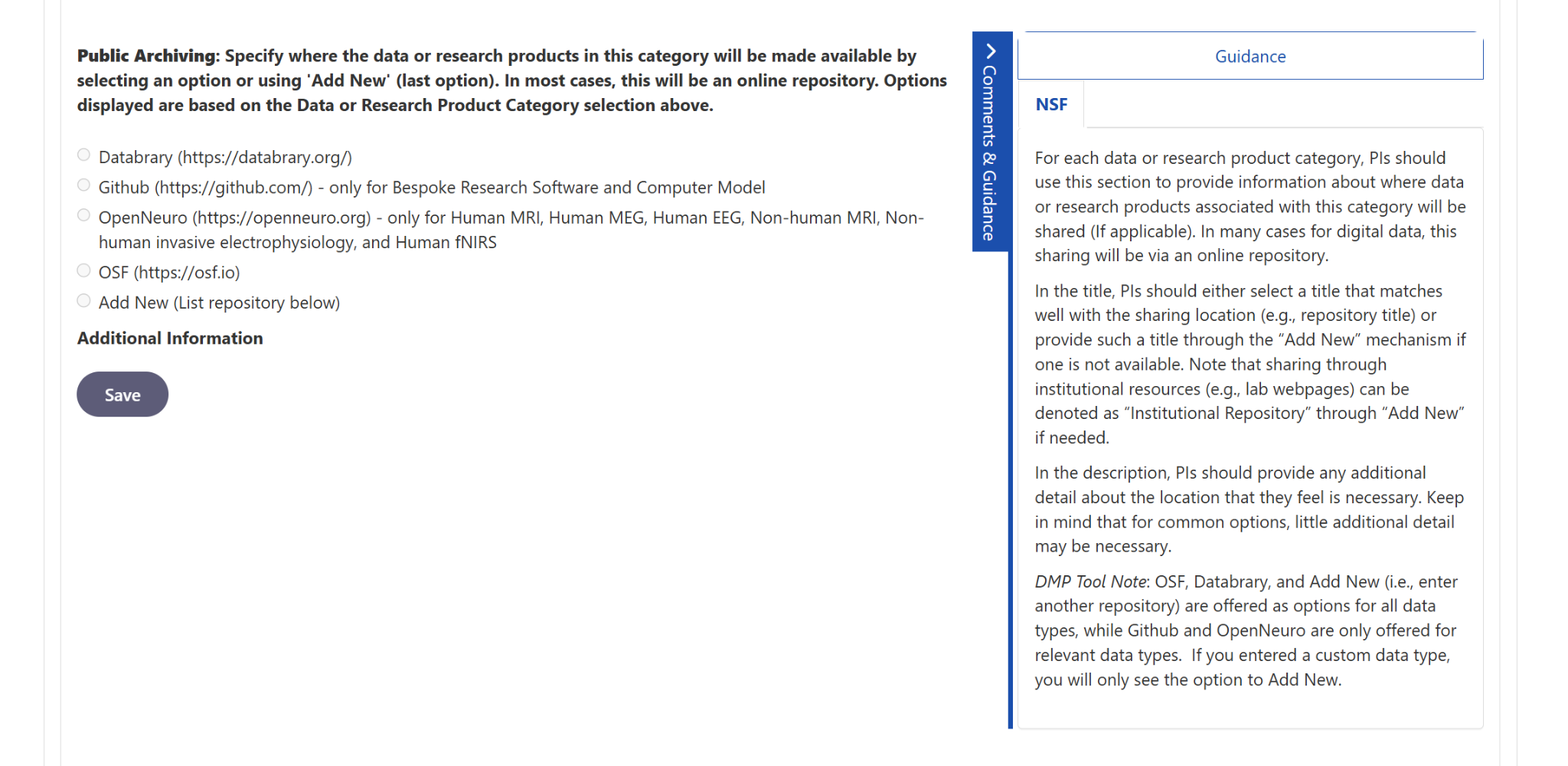
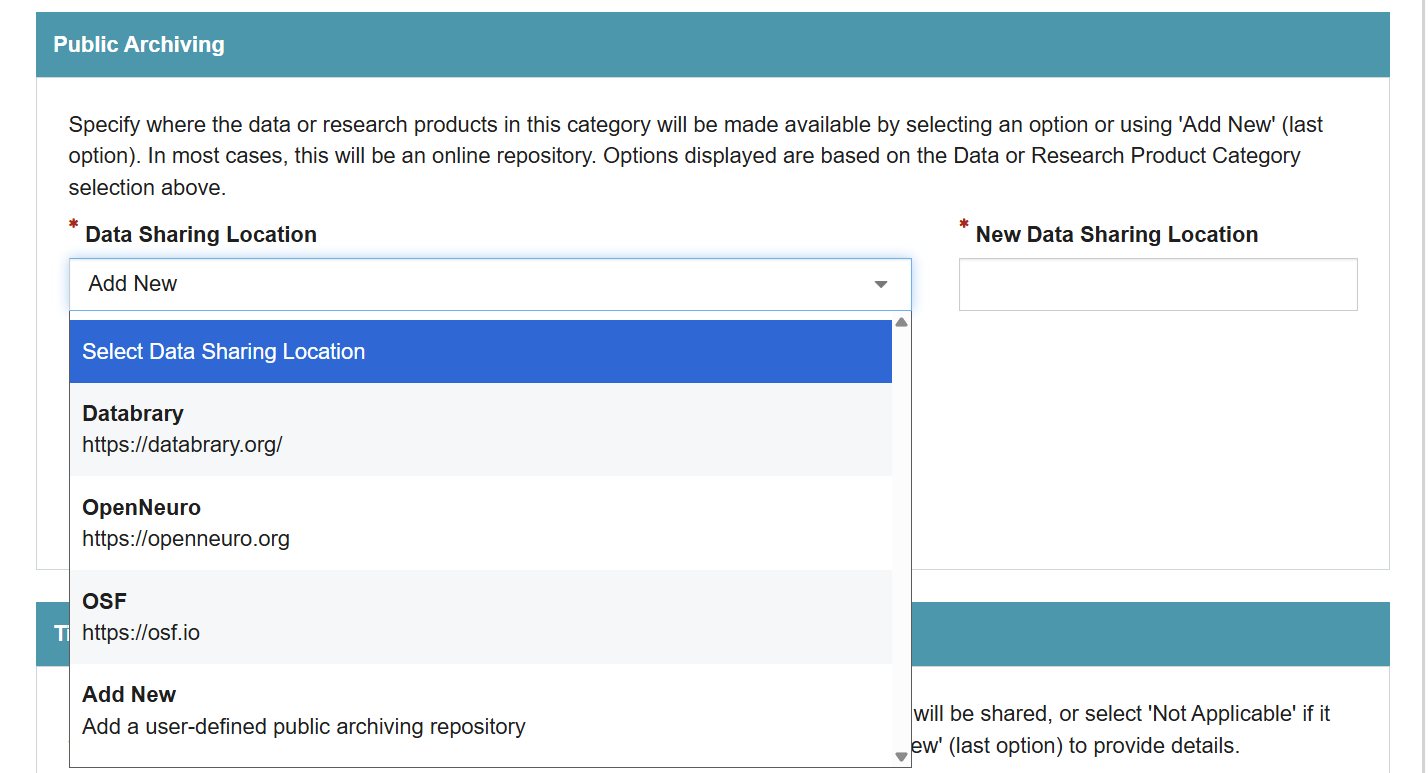
The Additional Information box is turned on for every question in case people are using “Add New” or providing extra justification in the form, though it often won’t need to be filled out when standard, expected options are selected.
Each question has Guidance on the right sidebar pulled from NSF policies, the webform itself (i.e., info buttons and help text), the guide to the webform, or notes from DMP Tool about functionality. Organizations can also publish customizations of the template to add their own specific guidance to the form, or add guidance to Themes that will show up next to relevant questions.
Moving Forward
We hope this is helpful for researchers, especially those who want to get feedback from collaborators, data librarians, or other administrators at their university before submitting their plan to NSF. It will also allow people to publish their plan, get a DMP ID, and connect future outputs to this plan within the tool. While it is extra work to transfer responses into Research.gov at the end instead of uploading a PDF, the collaboration and guidance may be worth the extra steps.
We’ll keep an eye on feedback and update as needed. Please report issues or suggested additions (e.g., if you notice a directorate has new options before we do) to dmptool@ucop.edu.


You must be logged in to post a comment.